On-Page SEO Checklist for new Websites .If you have created a new website but it is not getting traffic, don’t worry — this is very normal.
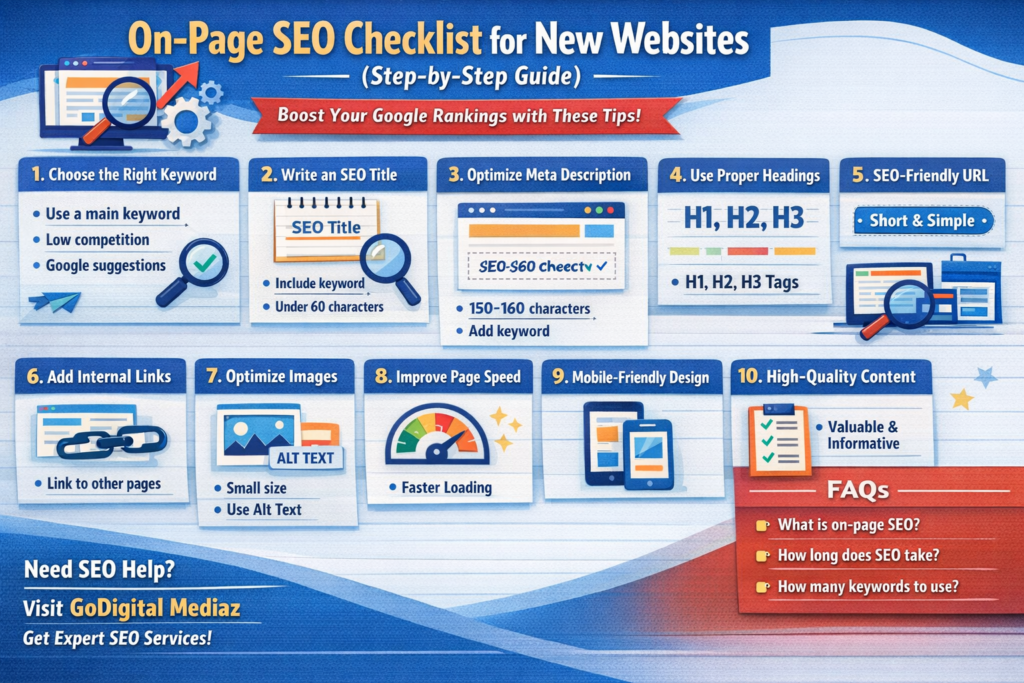
Table of Contents
Many people think that once a website is live, visitors will automatically come. But the truth is, without proper SEO, your website will not rank on Google.
That’s why you need a proper on page SEO checklist.
In this guide, we will explain everything in very simple language, so even beginners can understand and apply it easily. 👉 Example:
“If you want expert SEO help, visit our website GoDigital Mediaz.”✔ This builds brand authority
You can also check our On-Page SEO services to improve your website ranking.
What is On-Page SEO?
on page seo checklist for new websites
On-page SEO means optimizing everything inside your website.
It includes:
- Content
- Titles
- Images
- URLs
- Internal links
This helps Google understand your website and rank it better.
Why On-Page SEO is Important
1. Helps Google Understand Your Content
Google can easily know what your page is about.
2. Improves Ranking
Optimized pages rank higher on Google.
3. Better User Experience
Visitors stay longer on your website.
4. More Traffic
Higher ranking means more clicks and visitors.
That’s why following an on page SEO checklist is very important.
Complete On-Page SEO Checklist
Let’s understand step by step 👇
1. Choose the Right Keyword
Always start with a keyword.
Example:
- on page SEO checklist
- SEO guide for beginners
Tips:
- Choose low competition keyword
- Use Google suggestions
- Focus on one main keyword
2. Write an SEO Friendly Title
Your title should:
- Include keyword
- Be attractive
- Be under 60 characters
Example:
On-Page SEO Checklist for Beginners
3. Optimize Meta Description
Meta description is a short summary.
Tips:
- 150–160 characters
- Add keyword
- Make it interesting
4. Use Proper Headings
Structure your content:
- H1 → Title
- H2 → Main headings
- H3 → Subheadings
This improves readability and SEO.
5. Create SEO-Friendly URL
Example:
yourwebsite.com/on-page-seo-checklist
Keep it:
- Short
- Simple
- Keyword-based
6. Write High Quality Content
Content should be:
- Easy to understand
- Useful
- Unique
Avoid copying from other websites.
7. Use Keywords Naturally
Do not repeat keywords too much.
Use them:
- In first paragraph
- In headings
- Naturally in content
8. Add Internal Links
Link your blog to other pages of your website.
This helps:
- SEO
- User experience
- Website navigation
9. Optimize Images
For every image:
- Add alt text
- Compress size
- Use keyword
10. Improve Page Speed
Fast websites rank better.
Tips:
- Compress images
- Use fast hosting
- Avoid heavy themes
11. Make Website Mobile Friendly
Most users use mobile.
Your website should:
- Load fast
- Be easy to use
- Look clean
12. Add External Links
Link to trusted websites.
This helps:
- Build trust
- Improve SEO
13. Use Schema Markup
Schema helps Google understand your content.
Example:
- FAQ schema
- Article schema
14. Improve User Experience
Make your website:
- Easy to navigate
- Clean design
- Simple language
15. Update Content Regularly
Keep updating your blogs.
This helps improve ranking.
Common SEO Mistakes to Avoid
❌ Keyword stuffing
❌ Copy content
❌ Slow website
❌ No mobile optimization
❌ Missing meta tags
Final Thoughts
SEO takes time, but it works.
If you follow this on page SEO checklist, your website will start improving step by step.
Stay consistent and keep learning.
If you want expert help, visit GoDigital Mediaz to grow your business with SEO.
if you want to read about complete SEO strategy then must read : Go digital seo strategy A complete guide to grow your business online.
FAQs – On Page SEO Checklist
1. What is an on page SEO checklist?
An on page SEO checklist is a list of steps used to optimize your website content, structure, and elements to rank higher on Google.
2. How many keywords should I use in a blog?
You should use one main keyword and 3–5 related keywords naturally. Avoid keyword stuffing.
If you want to know about keyword then read : what are the keywords.
3. How long does on-page SEO take to show results?
On-page SEO can start showing results in 2 to 4 weeks, but full results take a few months.
4. Is on-page SEO enough to rank on Google?
On-page SEO is very important, but you also need off-page SEO like backlinks for better ranking.
5. What is the ideal blog length for SEO?
A blog should be at least 1000–1500 words for better ranking, but quality matters more than length.
6. Does page speed affect SEO?
Yes, page speed is very important. Slow websites lose visitors and rank lower on Google.
7. What are internal links in SEO?
Internal links are links that connect one page of your website to another page on the same website.
8. Why is mobile-friendly design important for SEO?
Most users use mobile phones. Google also prefers mobile-friendly websites, so it improves ranking.
9. Can I do on-page SEO without technical knowledge?
Yes, basic on-page SEO can be done easily by following a simple checklist like this.
10. How often should I update my blog for SEO?
You should update your blog every few months to keep content fresh and improve ranking.